The big CGM review 2026
What is the best Continuous Glucose Monitor (CGM) to help you manage type 2 diabetes or monitor your blood glucose trends?
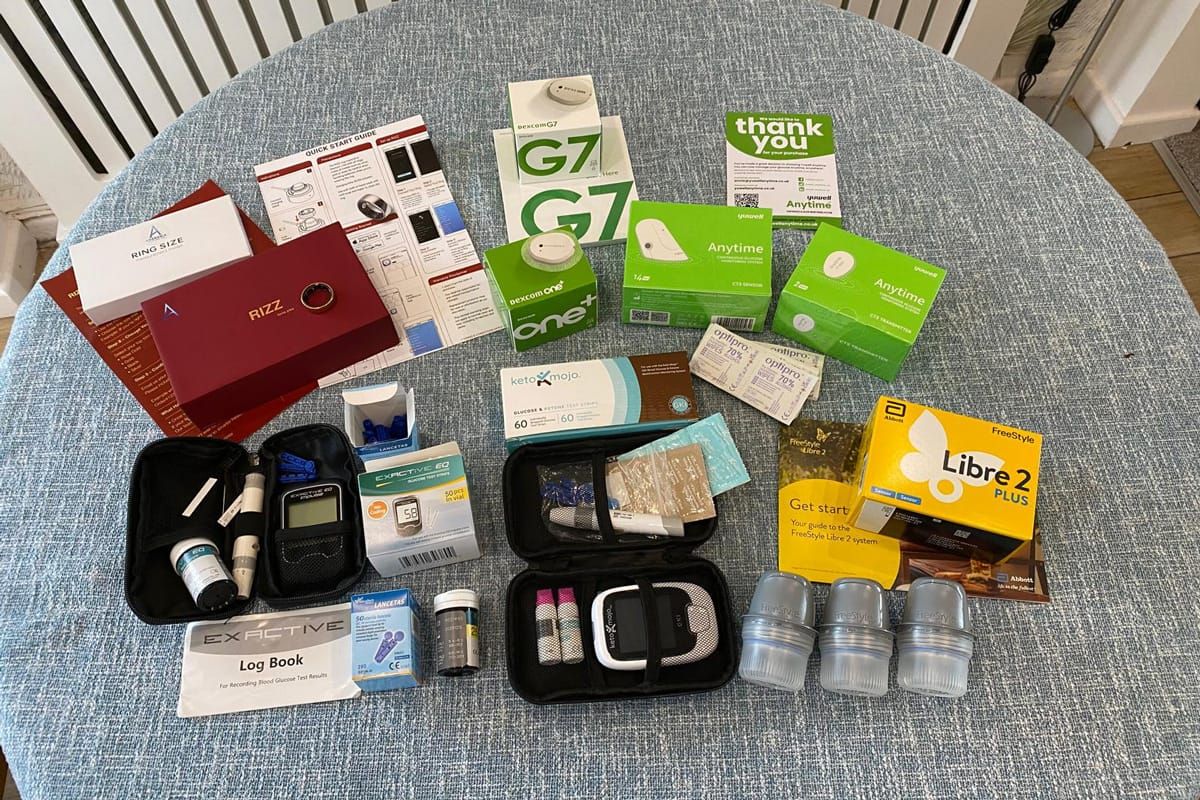
I've ordered five CGMs that are currently available in the UK (as of March 2026) to test them against each other in a real-world situation. Which is best will depend on your personal requirements and budget, so I'll outline different price points, accuracy, delivery choices and usability.
Limitations of standard blood glucose meters
Standard blood glucose meters involve pricking your finger with a small lancet and supplying a drop of blood to a glucose testing strip that will draw the blood in via a capillary-like tube. The strip detects the glucose level in the blood and the glucose meter device will give you a glucose reading (in mmol/L in the UK). Around 3.8-7.8 mmol/L is considered to be within normal range. If you have type 2 diabetes, your medical team will most likely suggest a slightly higher target range. If you're used to higher glucose levels you may experience hypo symptoms at slightly higher levels than those without diabetes.
The benefits of a continuous glucose monitor (CGM)
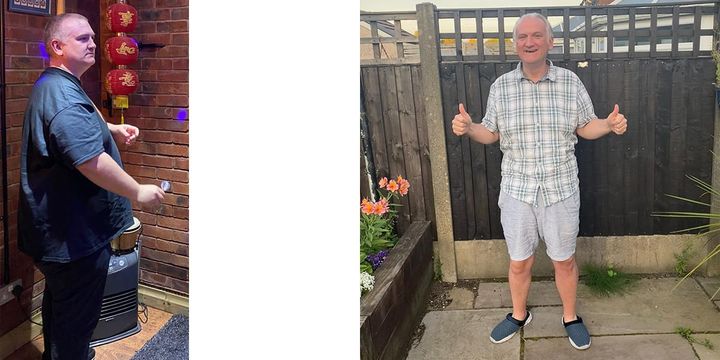
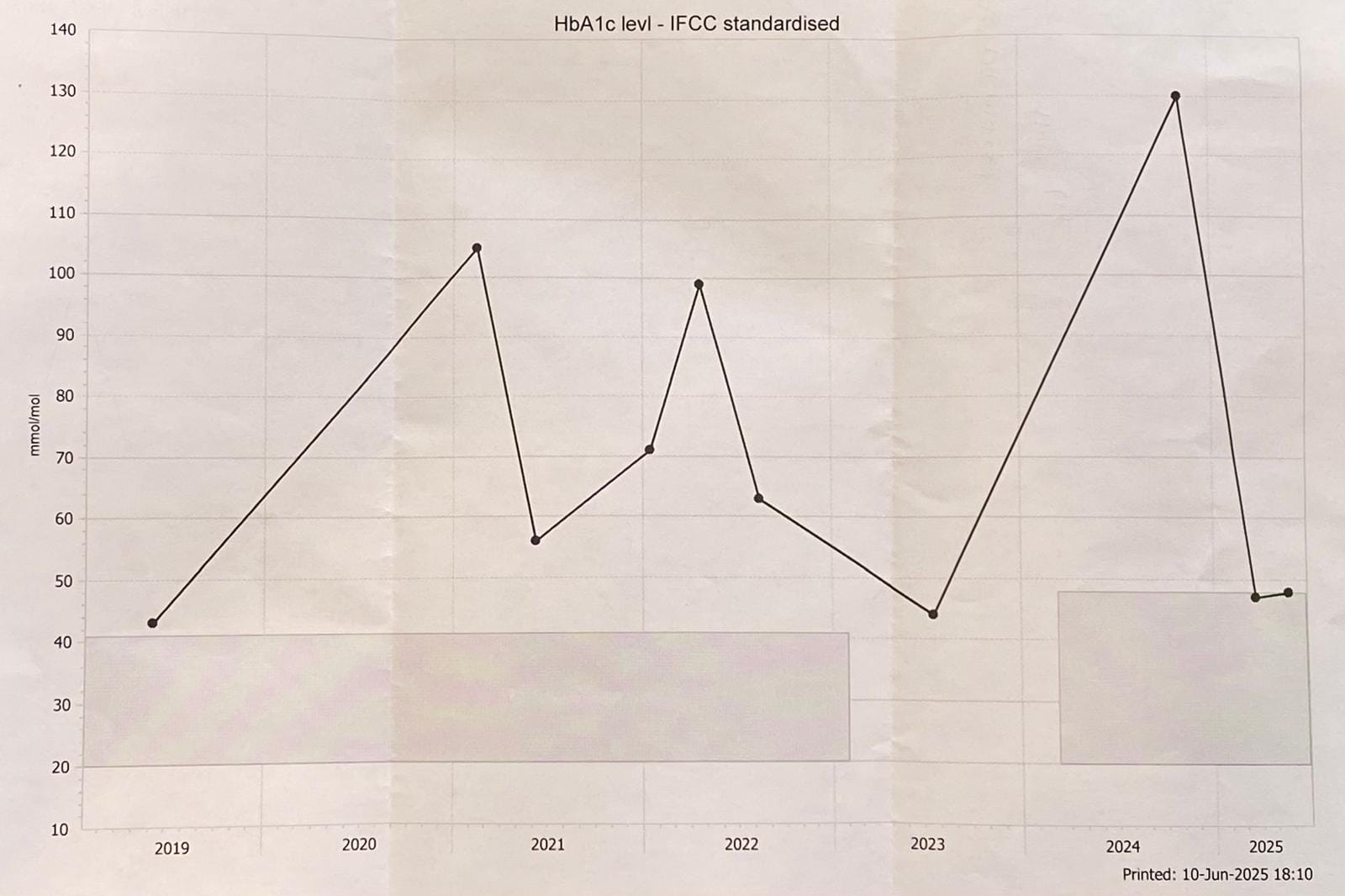
On 4th November 2024 I received panicked voice messages from my GP surgery as my HbA1c had crept up to 131 mmol/mol which is dangerously high. I had been considering trying a CGM for a few years but I wasn't sure how to get hold of them, which ones to get, or how they worked. I said to my GP that I had been considering getting one and was abruptly told "You don't need one of those." as though I was a naughty child asking for an undeserved gift. It was at this point I decided to take charge of my own health because everything I had been advised to do was clearly not working and I defiantly ordered my first CGM.
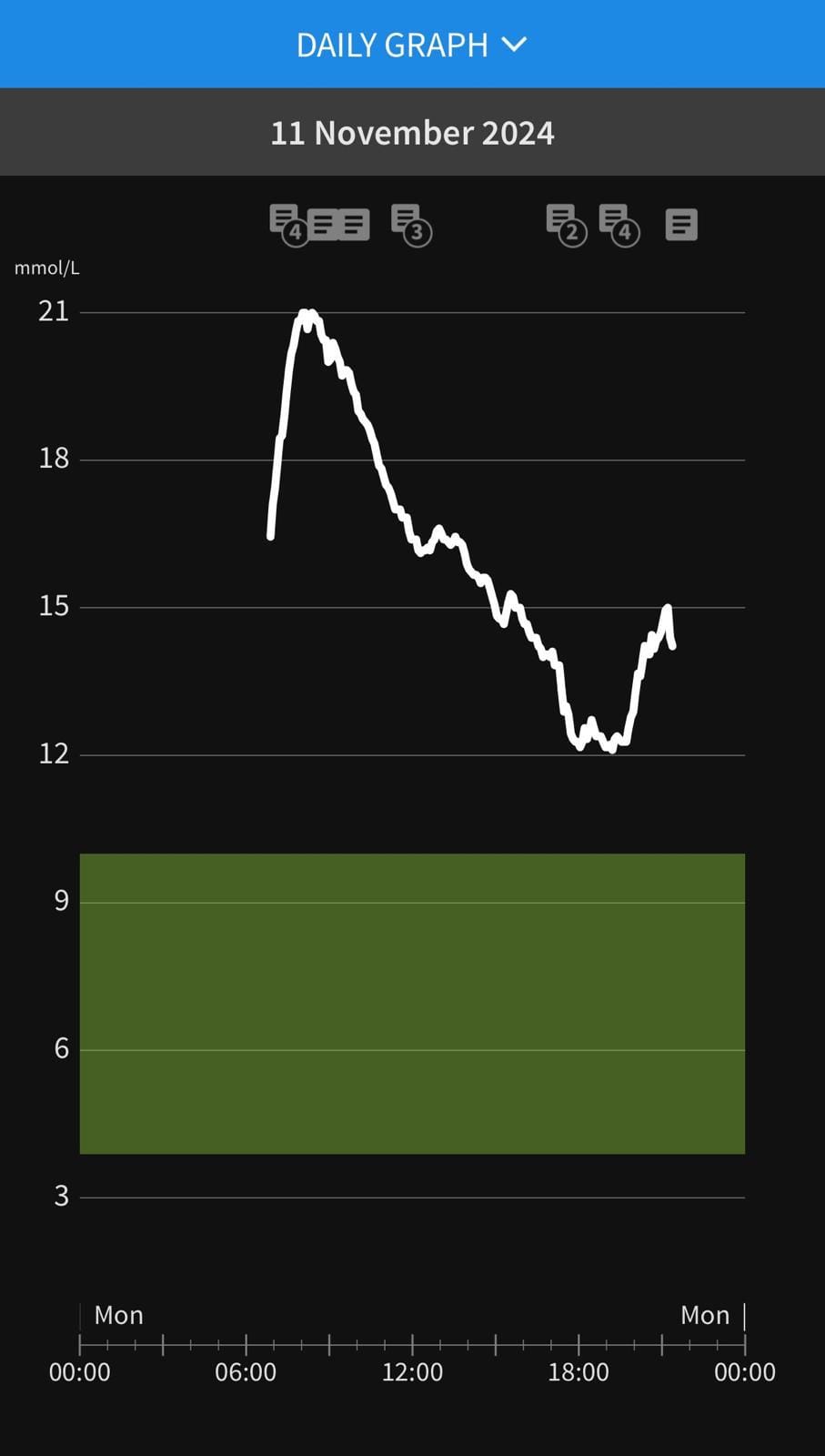
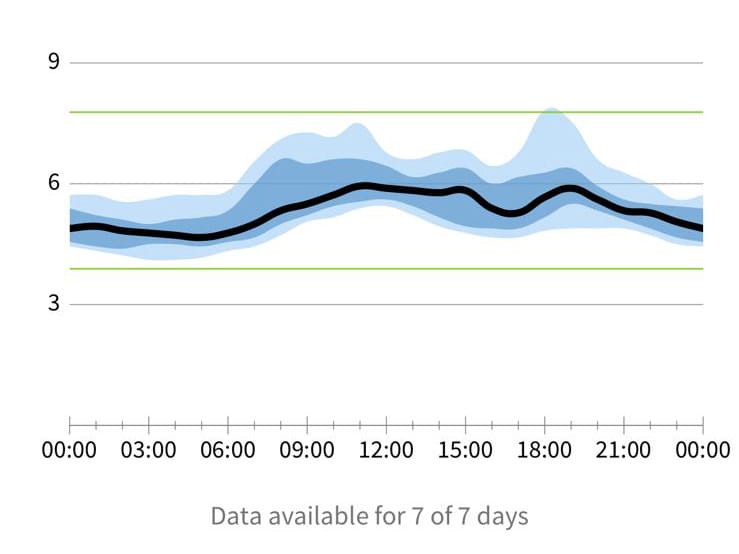
The main benefit of a CGM is you can see the overall blood glucose pattern for a whole day so you can very easily see which foods and drinks are causing greater spikes. With a single point in time sample, you have no idea if your glucose is at baseline, half-way up, going down, or at the top of a peak. With a CGM you can log food, drinks and exercise throughout the day and patterns become much more obvious.
The other benefit is that it's much easier to keep well documented readings. Finger pricks are painful which makes doing even three a day a very unpleasant and surprisingly time-consuming chore. With a CGM, you have a reading every few minutes automatically logged via an app without you even having to remember to check. You can manually log food/drink/exercise events as much or as little as you like.
CGMs measure glucose in interstitial fluid (the fluid between your skin and muscles/veins etc.). This means that there is a 5-15 minute lag between rises and falls in blood glucose levels and what your CGM can detect from the interstitial fluid. If you're ever worried or need to measure insulin doses, it's always safest to check with a finger prick test using a blood glucose meter. This video has a good explanation of the blood glucose lag that you get with a CGM.
The CGMs I'm testing
I'm primarily looking at CGMs for managing type 2 diabetes for those who need to self-fund them. For type 1 diabetes, accuracy is more important for insulin dosing so please be aware of that context if you are taking insulin and of course discuss monitoring options with your doctor. Currently, the NHS will only fund CGMs for people with type 1 diabetes or insulin-dependent type 2 and other forms of diabetes. I think this is a real shame because having a CGM can help guide people to type 2 remission which will ultimately save the NHS a lot of money that would otherwise be spent on drugs and hospitalisations from the eventual long-term health implications. If you don't have diabetes but want to lose weight then a CGM can be a very helpful tool because seeing what gives you higher glucose responses will be an approximate indicator of how much insulin your pancreas is releasing. Insulin is an anabolic i.e. fat-storage hormone so it becomes an issue if it is chronically elevated. You cannot lose weight if your insulin is always high. I don't think CGMs are a good idea if you have an eating disorder, struggle with anxiety issues, or if you're underweight. It's important to remember that glucose increases are a normal and healthy physiological response and the aim is not to avoid any increases altogether.
Manufacturers quote MARD (mean absolute relative difference) as a statistical measure of CGM accuracy. This is a percentage of how far away the sensor's readings are from laboratory tested blood glucose levels so a lower MARD figure suggests higher levels of accuracy.
If you decide to buy a CGM make sure to check that your mobile phone is compatible with the corresponding app. Most of them will use NFC to activate the sensor so if you don't have that feature you'll need a newer phone first. When ordering there is usually a statement that you have to fill in to get the VAT discounted if you're using the sensor for a medical condition so the prices I've listed are exclusive of VAT.
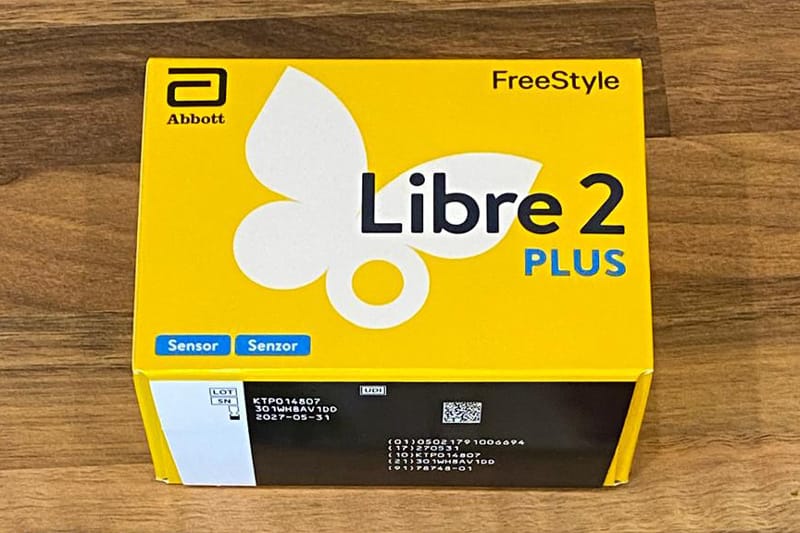
Abbott FreeStyle Libre 2 Plus
Upfront cost: £51.74
Delivery cost and time: Free 3-day delivery but no tracking.
Duration: 15 days
Effective daily cost: £3.45
Effective annual cost: £1,259.87
MARD: 9.2%
I initially started on the FreeStyle Libre 3 as I was concerned about having to tap my phone on the sensor every time I wanted to check my readings but I think this was only required on much older versions of the Libre 2. In twelve months I've only had one that needed tapping every time I wanted to check so I think this one had a faulty transmitter or low powered battery. I have heard that Abbott are very good at sending replacements if you have any issues with inaccurate readings or if the sensor falls off, but I haven't had the need to contact them about any faults yet. They can have slightly unusual readings when you first apply them. Applying them the day before you switch over without immediately activating them will help to alleviate this accuracy issue. The FreeStyle Libre 2 is also thought to have accuracy issues at lower glucose levels. This isn't really a problem for me in managing type 2 diabetes as my goal has generally been to keep higher readings in check. This might be an issue if you're measuring insulin doses for type 1 diabetes or have regular issues with hypos.
The Libre 2 insists you disconnect the old sensor at the time you connect the new one. The new sensor takes an hour to warm up so you always lose at least an hour of data.
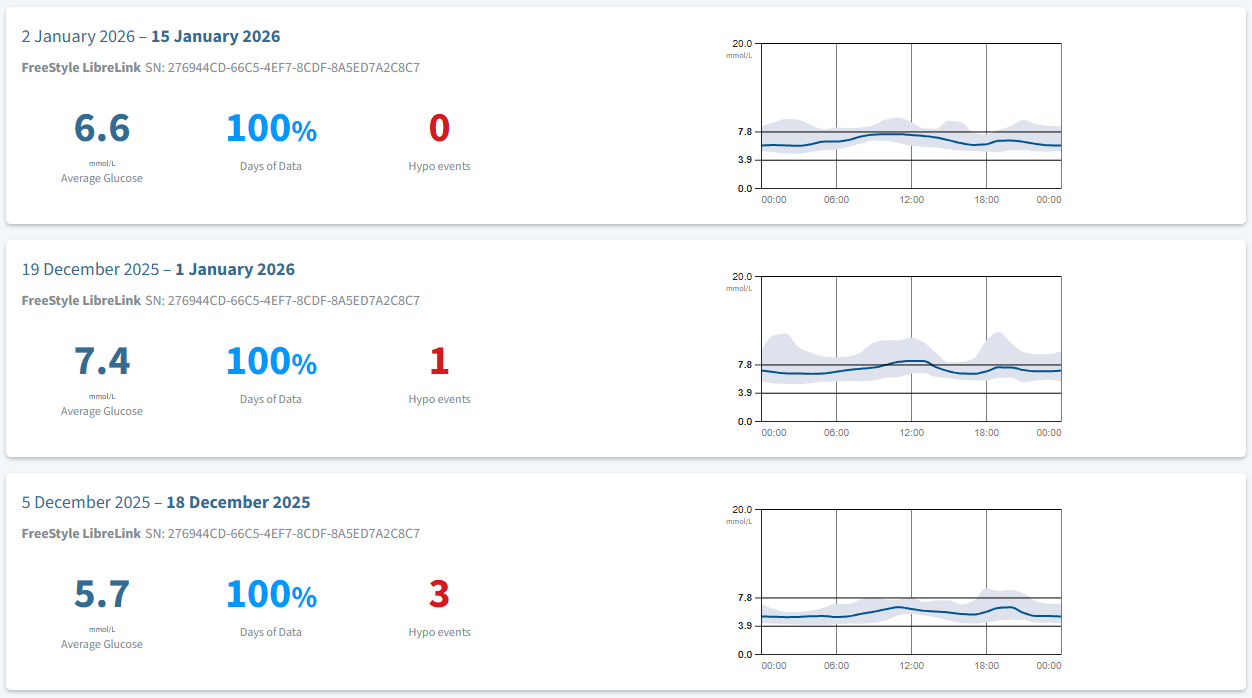
The LibreLink app has everything you need to see your last 90 days of data in a variety of helpful graphs. You can customise your target glucose range and it will give you an estimated HbA1c which I find a helpful guide during the long periods between standard blood tests. I've found that reading is usually within one or two points of my blood test results.
What I didn't realise for several months was that you can access all of your data in more detail using the LibreView website. It shows beyond the 90 days of data limit on the mobile app and also provides more detailed reports. You can also export your glucose data. The one thing I've not managed to be able to do is to produce an export of daily glucose averages which is the only missing feature I find frustrating.
Dexcom ONE+
Upfront cost: £35.00
Delivery cost and time: £4.99 economy 2-5 days with tracking and a 1 hour delivery window.
Duration: 10 days (plus additional 12-hour grace period)
Effective daily cost: £2.60 with 90 day quarterly subscription pack
Effective annual cost: £949.61
MARD: 9.8%
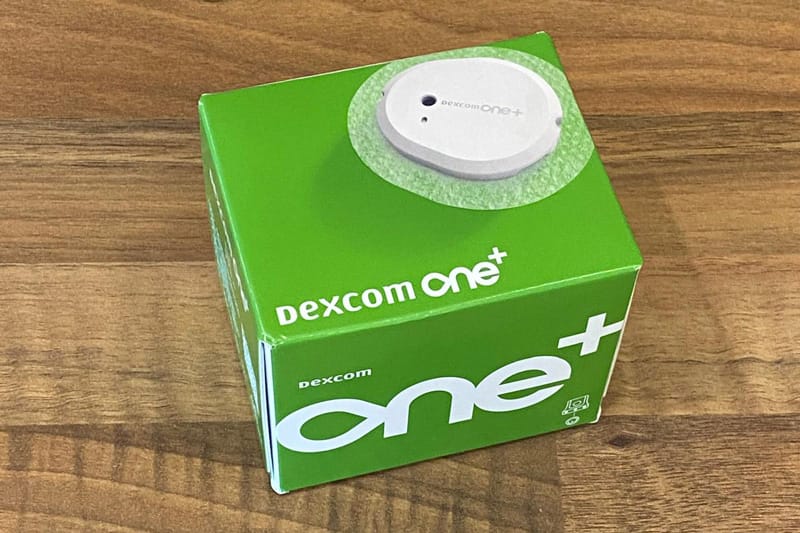
I have only just looked into the Dexcom range of products as I've always assumed they were more focussed on higher end sensors such as the G6 which is often used by people with type 1 diabetes as it is generally considered to be more accurate and can be connected to an insulin pump. The ONE+ has been available for over two years now and saving over £300 per year when compared to the Libre sensors, it's worth trying out. The main disadvantage is going to be the shorter duration time of 10 days. It's not a huge task to change over your sensor but it could be a hassle if you have a busy work and/or family schedule. The 12-hour grace period is going to be beneficial as sometimes you get a gap in data if you happen to be busy or asleep when your sensor runs out. The warm up time is 30 minutes which is an improvement on Libre's one hour.
Dexcom also have a receiver device for £59.99 that might be helpful if you have an older mobile phone that isn't compatible with the software.
Yuwell Anytime CT-3
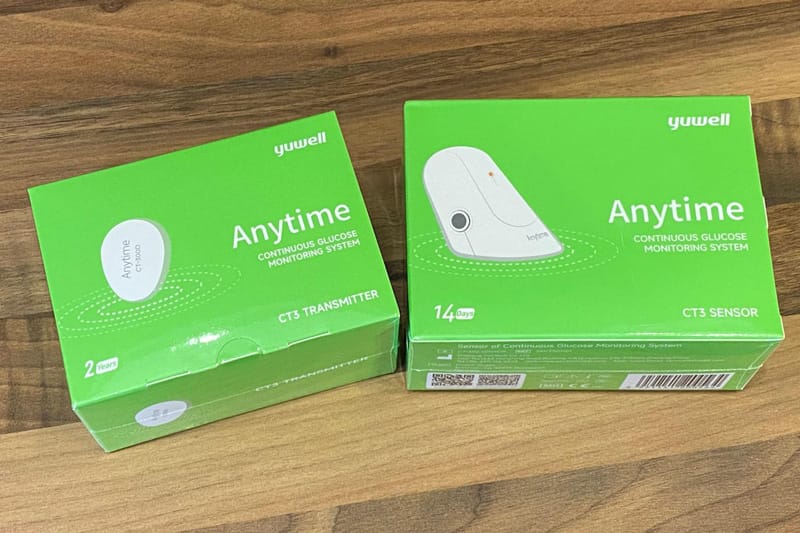
Upfront cost: Usually £84 for 2-week starter pack (includes transmitter). The 4-week starter pack is currently on sale for £72.00 (as of March 2026)
Delivery cost and time: £4.99 Royal Mail 48 hour tracked
Duration: sensor 14 days, transmitter up to 2 years
Effective daily cost: £3.21
Effective annual cost: £1,084.02
MARD: 6.9%
Yuwell have recently updated their pricing structure so now the best option is to start with the 4-Week Starter pack at £72 which includes the transmitter and then move onto the 4-Week Sensor Pack at £90 for 28 days. The transmitter should last up to 2 years so if you do need to order a replacement one at the full current price of £36 that's not a frequent payment.
Dexcom G7
Upfront cost: £51.25
Delivery cost and time: £4.99 economy 2-5 days with tracking and a 1 hour delivery window.
Duration: 10 days (plus additional 12-hour grace period)
Effective daily cost: £4.60 with 90 day quarterly subscription pack
Effective annual cost: £1,680.11
MARD: 8.0-9.5%
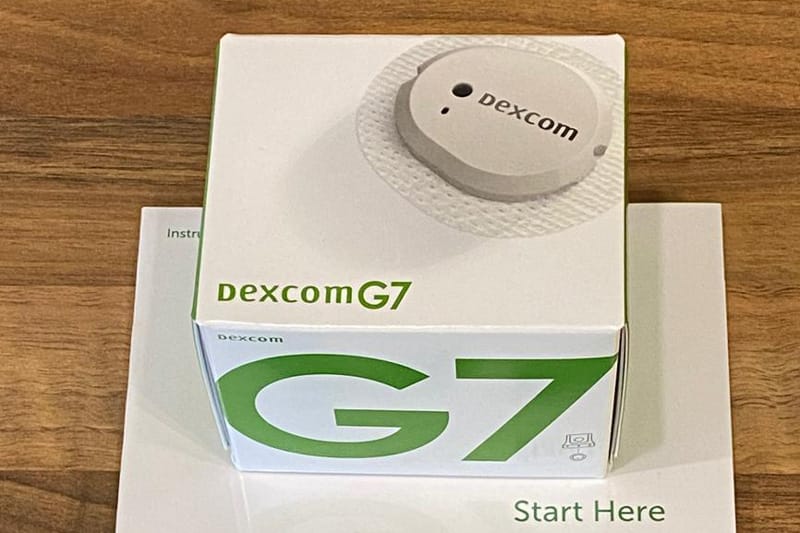
The Dexcom G series of sensors have long been popular with people with type 1 diabetes. They are generally thought of as being more accurate than the cheaper sensor options and provide more detailed data reporting. The previous G6 has the option to be paired with an insulin pump which can help to avoid the need for regular insulin injections. The newer G7 has only recently been able to be paired up with insulin pumps so there may be limited connectivity options.
Dexcom claim the G7 has a MARD rate of 8.0-9.5 compared to around 10-11% for the G6. It's worth noting that this rating might not necessarily reflect accuracy at the points where it matters. For example, Dan Heller has written an interesting review comparing the G6 and G7 and pointed out that the highs and low readings seem more erratic on the G7 which makes insulin dosing more difficult.
The G6 is quite a bulky CGM and at £200 for just 90 days, the separate transmitter is prohibitively expensive if you aren't able to get it on prescription. Dexcom have announced that they are planning to discontinue the G6 so it wouldn't make much sense to start with this if you are just starting out on a CGM journey.
As with the ONE+ the 30 minute warm up time and 12 day grace period is going to be a benefit. There are no free trial options for the Dexcom G series.
The RIZZ ring by Ambrosia Systems
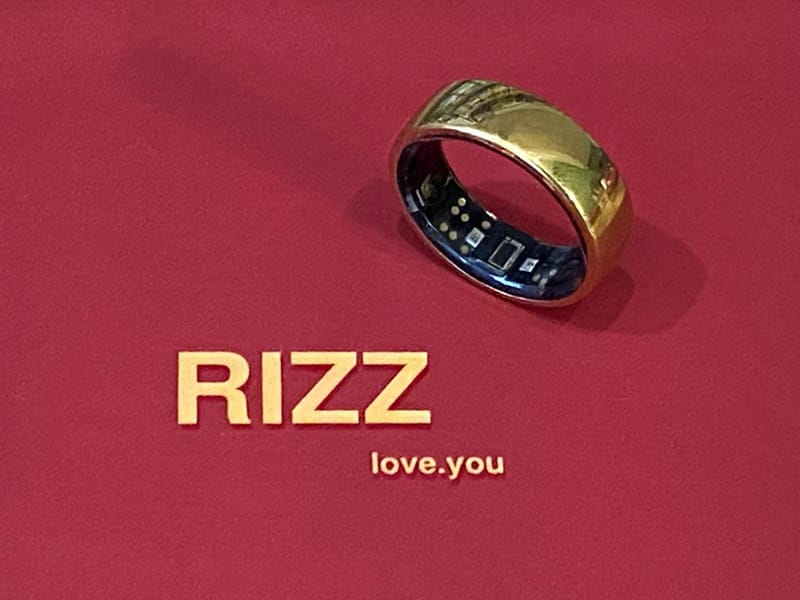
Upfront cost: $349
Delivery cost: $24-59
I paid $59 for UPS Express 2-5 days but this didn't mean I got it much quicker. However, as this is a high value item I did appreciate the tracking when they sent the ring. You also have the issue of waiting for the sizing kit which is sent by standard USPS shipping which lost tracking once it left the US. Other delivery options are First Class (16-29 Days) at $24.00 or Priority (6-9Days) at $39.00
Duration: unlimited
Effective daily cost: Effectively £0 after the first four months.
There is a subscription element to some of the more advanced features which I need to investigate but I don't think you need that for the glucose monitoring.
Effective annual cost: $523 for the first year and then free (£388.11)
MARD: TBC
US-based Ambrosia Systems claim this to be "The World’s First Non-Invasive CGM Ring" and I haven't seen anything like this before they launched this product at the end of 2025. I have recently seen adverts for similar things but I'm not convinced of how legitimate the alternatives are.
I have always been interested in getting some wearable tech that would monitor my HRV (heart rate variability) as this is another good marker for metabolic health and should be improving with my walking and resistance training routine. I've always put off the idea of getting a smart ring such as the Oura because it just lacked the one massive feature that I really need to make the upfront cost worth it - glucose monitoring.
The RIZZ claims to track:
- glucose
- sleep
- stress
- heart rate and HRV
- activity
- oxygen levels
- skin temperature
The RIZZ ring is currently listed at a discounted price of $349 and I was looking at it as a potential replacement for my Libre 2 sensors so even at that price it had the potential to pay for itself within four months. Ambrosia are having real problems getting the units shipped at the moment so you will have to be patient. I waited for over three months to get mine and you do need to keep chasing to get your ring shipped. Hopefully their production line will be able to build up as more orders come in.
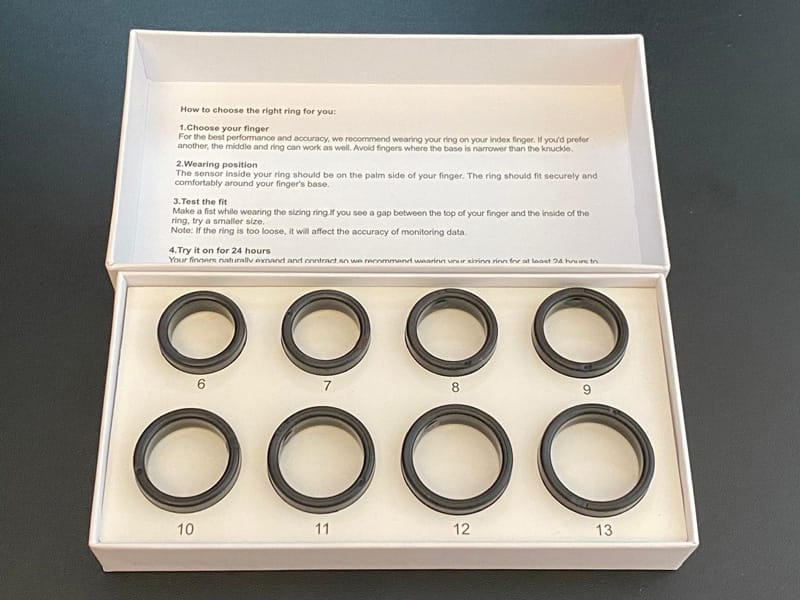
Another reason for the delay in getting your ring is waiting for the sizing kit to be delivered and no matter which shipping option you pick this seems to be sent via the basic shipping option. If you already know what size you want then you can skip the wait time for the sizing kit and just email them with the size and colour you want. The instructions recommend using the index finger on your non-dominant hand as that will usually provide the most accuracy. You can also use the middle or ring finger. The one thing I didn't really think about with using my index finger is it's more externally facing so easy to catch on things like walls so I'm wary of scratching the ring.
Does it work?
That's the big question I wanted to answer over the first two weeks of March 2026 by comparing the glucose readings of these different CGMs and measuring their accuracy against a blood glucose meter. After a few days of using the RIZZ I could tell it wasn't accurate as my Libre 2 and I tried working on the calibration but this didn't seem to do anything other than nudge the reading by constantly adding around 1 mmol/L. Sadly, I found that it just seemed to constantly guess that I was around 5.5-6.0 mmol/L despite my glucose meter tests being way out of that range. Ultimately, I don't need it to be super-accurate, I just want the reassurance that I'm staying within my healthy glucose range as it is so easy to just assume everything is fine when you have no feedback and bad food choices start to creep in. My CGM helps me notice when I'm just unusually high for a day and that feedback allows me to adjust my food and drink choices accordingly. It's also a good reminder to go for a walk!
Accuracy
There are two points to consider when looking at CGM accuracy for type 2 diabetes - the accuracy of individual readings and the relative increase or decrease in glucose levels that show you the relative impact of a meal or activity.
I am testing accuracy using glucose meter readings so my accuracy comments reflect my real-world experience and are not lab-standard results.
Glucose Readings
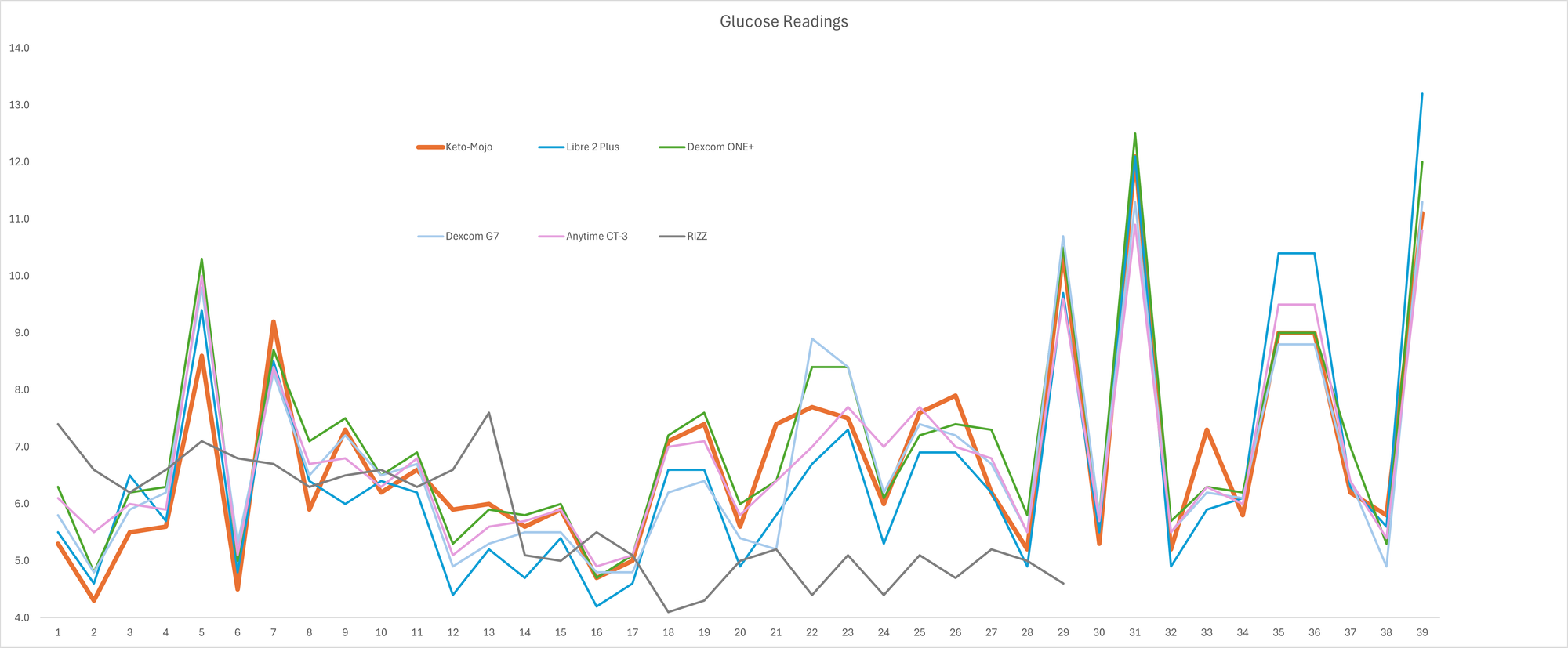
When reviewing all of the 40 individual readings from the KETO-MOJO glucose meter, the average came to 6.8 mmol/L and the Anytime CT-3 matched this exactly. The Dexcom G7 averaged at 6.7 and the Libre 2 was 6.6 mmol/L which does seem to indicate that the Libre 2 does tend to read a bit lower and the graph below shows this. The Dexcom ONE+ had a tendency to read a bit higher on average at 7.1 mmol/L. The RIZZ had averaged at 5.7 mmol/L, which is 17% out and I gave up taking readings with it after trying to reset it.
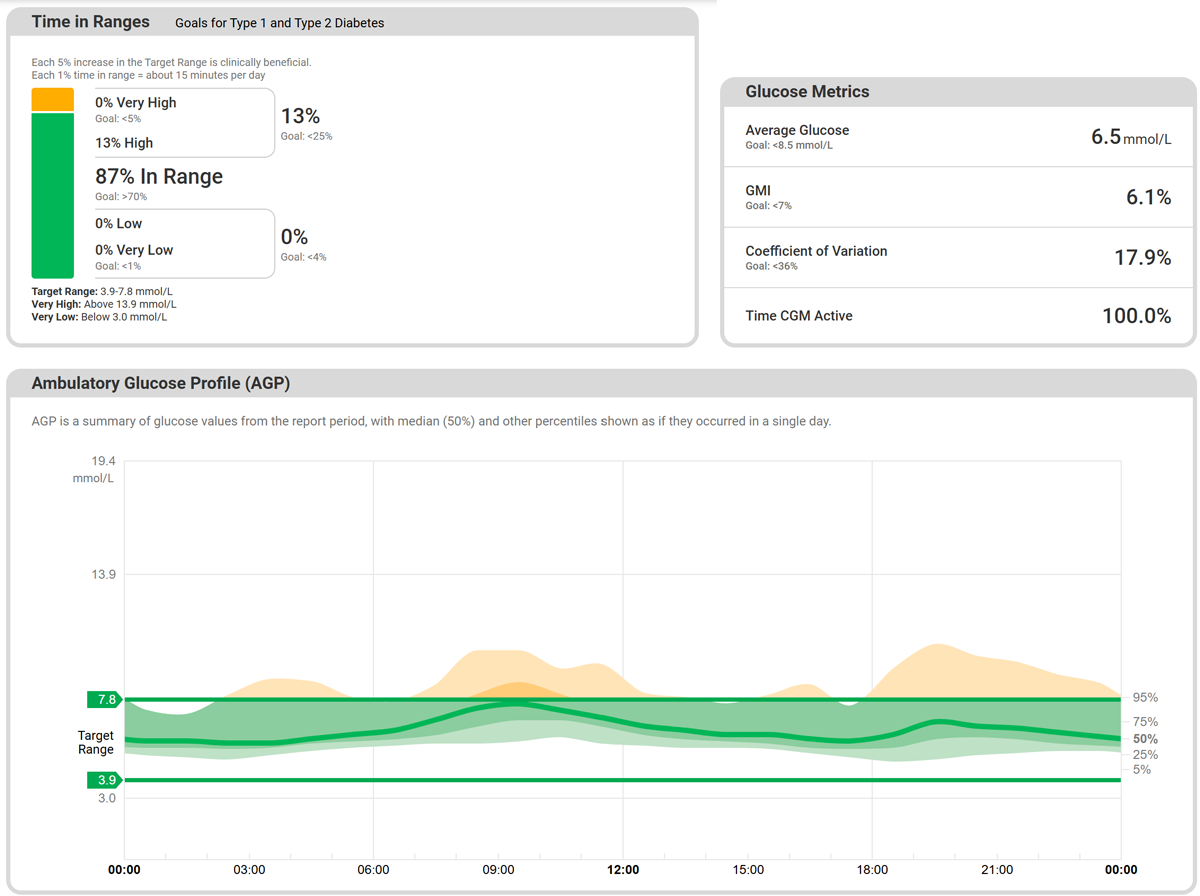
This would suggest that the Anytime CT-3 would probably be the best option for monitoring your long-term glucose management. Its Glucose Management Index (GMI) in its AGP report gives you an estimate for a HbA1C blood test.
Glucose Pattern Accuracy
What is probably more important for making real-life decisions with diabetes is the patterns that emerge from eating different foods and finding what activities increase or decrease your glucose levels. Subjectively, I've felt that the Libre 2 reads higher more quickly when glucose is increasing than the others and looking at the blue line on the graph below this does seem to show that it peaks higher than the others. It does over-shoot the orange glucose meter line quite a bit on the last two sharp spikes.
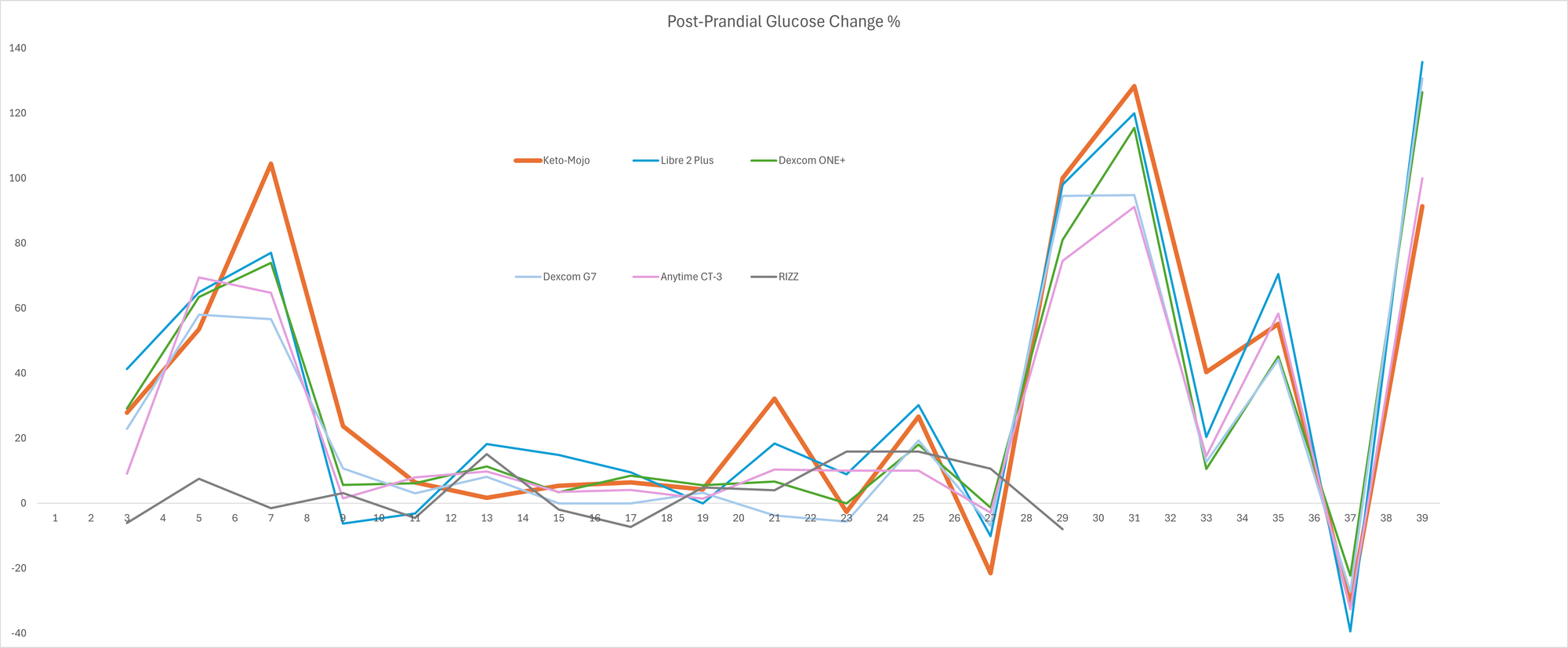
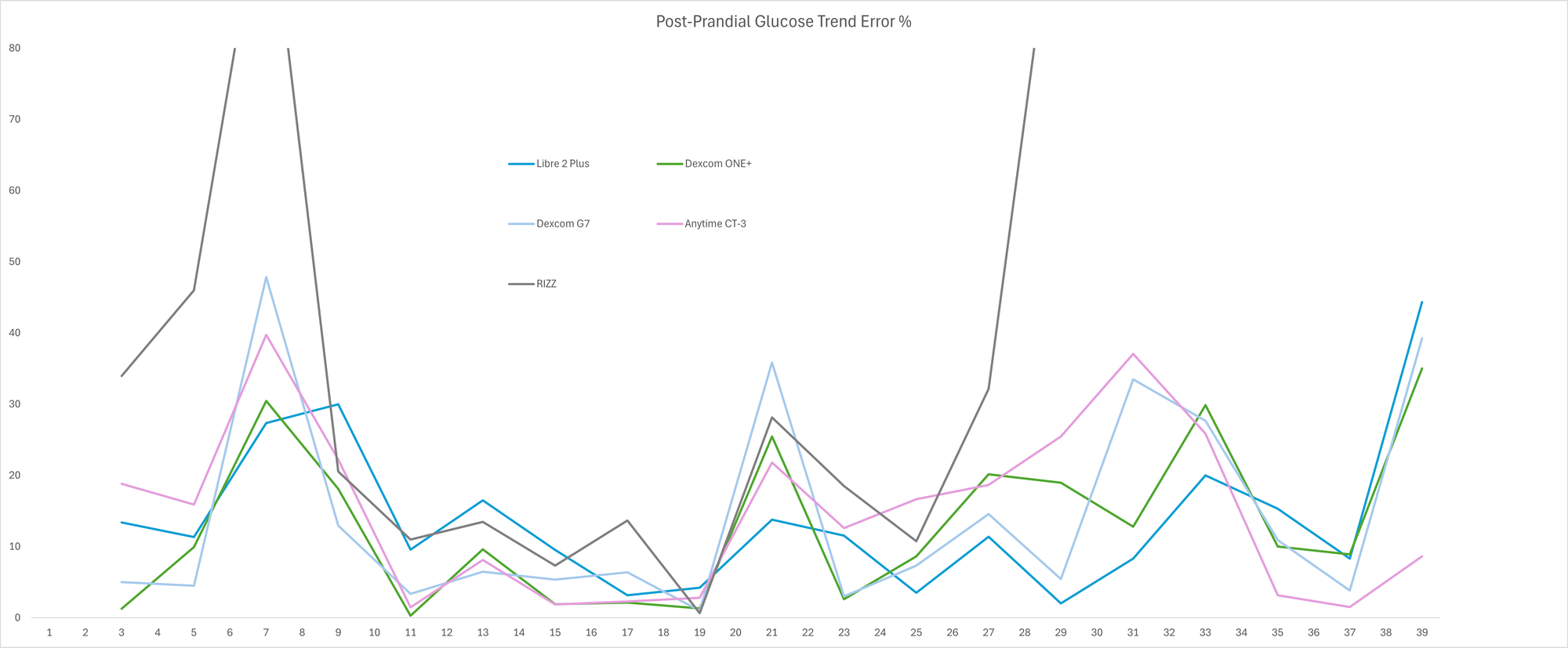
For me, the most important signal I get from my CGM is the amount of increase or decrease in blood glucose that results from a meal. By comparing the start and end point of each meal on each CGM I've worked out the error percentage in the increase or decrease when compared to the glucose meter. The RIZZ ring had some massive error rates as I think it just can't cope with higher ranges. From the point I started calibrating it, I think I made it worse so had to try resetting it and couldn't get it back up and running in time. The Dexcom G7 (light blue) generally had fewer errors but it had 3 more pronounced errors than the other standard CGMs. That shows that it's generally more accurate but when it does get it wrong, it's getting it wrong by quite a bit. The ONE+ (green) had more frequent high errors but not as pronounced. The Libre 2 (blue) generally had more frequent lower level errors so it's doing well at showing consistent patterns without showing extreme false positives. The Anytime CT-3 has fewer errors but matches similar overly pronounced errors as the G7 - from this experiment, I'd say the CT-3 has a nice balance between pattern consistency and overall accuracy.
App features
An important thing to consider when deciding on a CGM is which mobile app has the best features for your needs. There are key differences between the CGMs I've tested which could be the deciding factor in which one will be best for your needs.
LibreLink for the Libre 2 Plus
In my opinion, the LibreLink app has the best visual data reporting. It's very good at showing long-term trends. The LibreView website also has a very impressive range of data reporting options. If you're a big data nerd then it will cover just about everything you would want to look at.
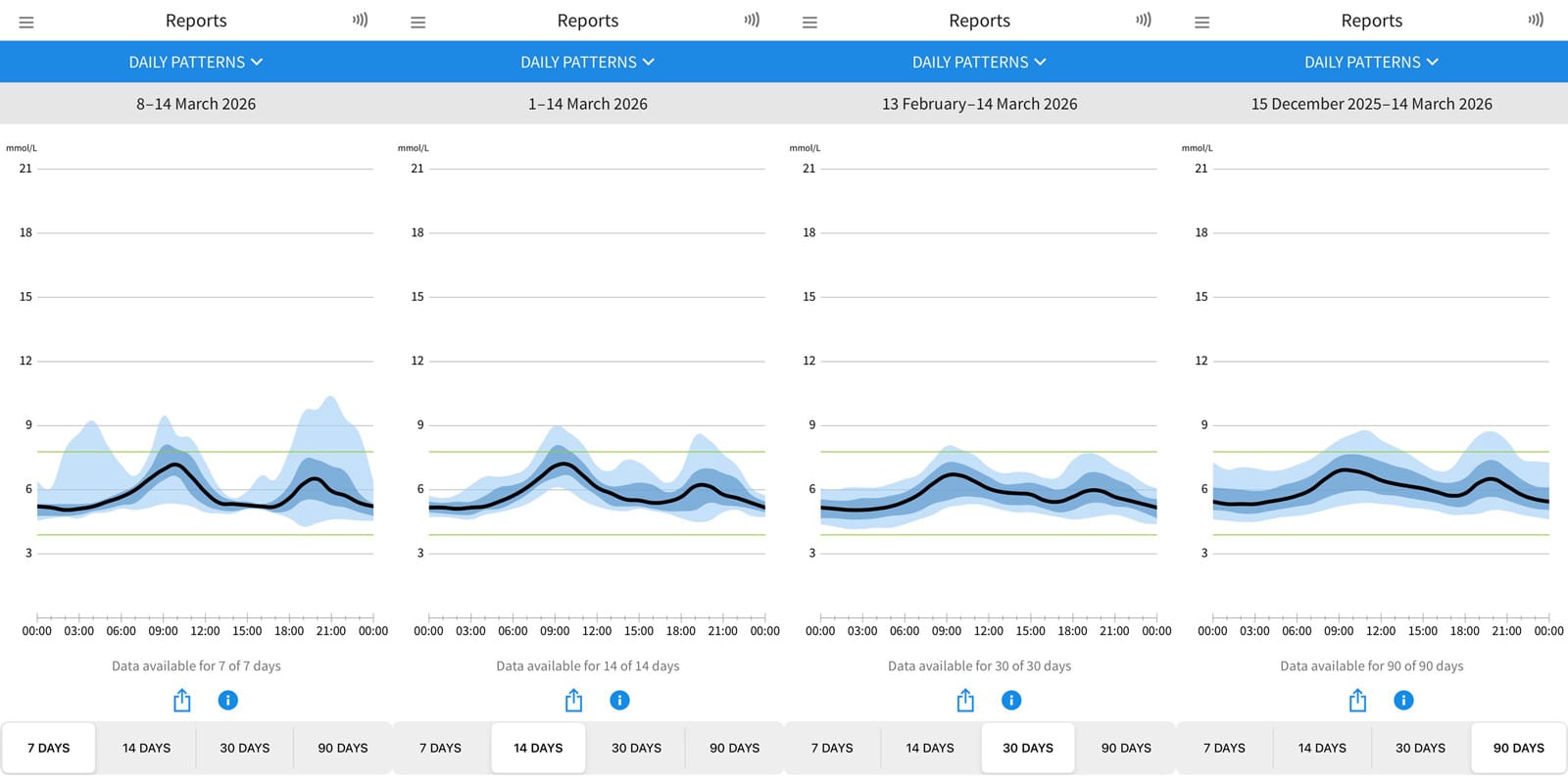
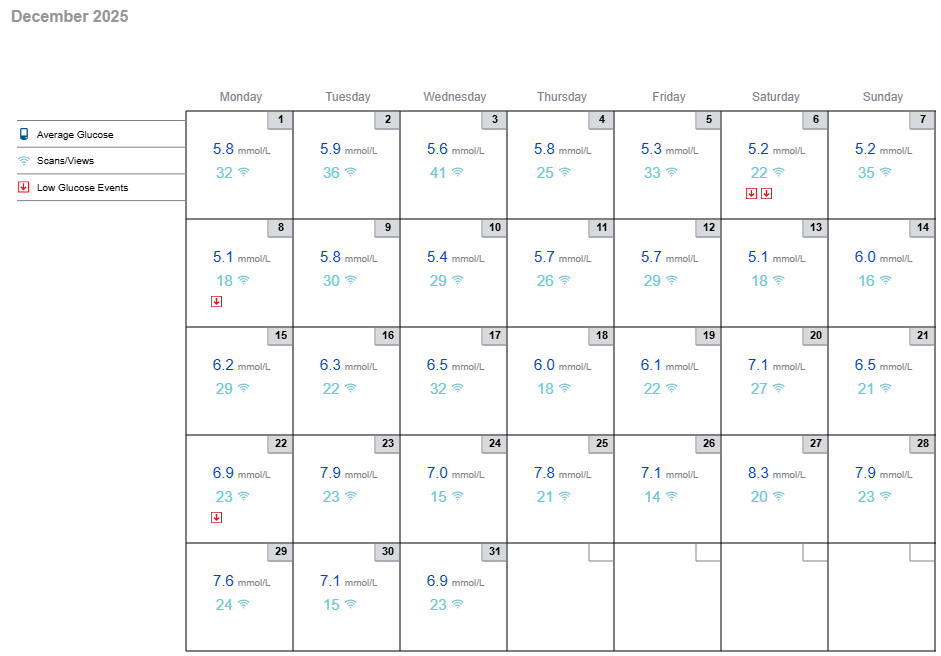
One thing I do find frustrating is that it does not give you a daily average glucose figure directly in the app. It gives you the option for 7, 14, 30 and 90 days so I usually fixate on trying to reduce my 7-day average. This can be a bit frustrating as you don't see the best of the good days and the occasional bad day tends to make it feel like you're crawling up a steep hill for the rest of the week. The LibreView website does give you access to the daily average but it's a bit of a chore to do this on a daily basis.
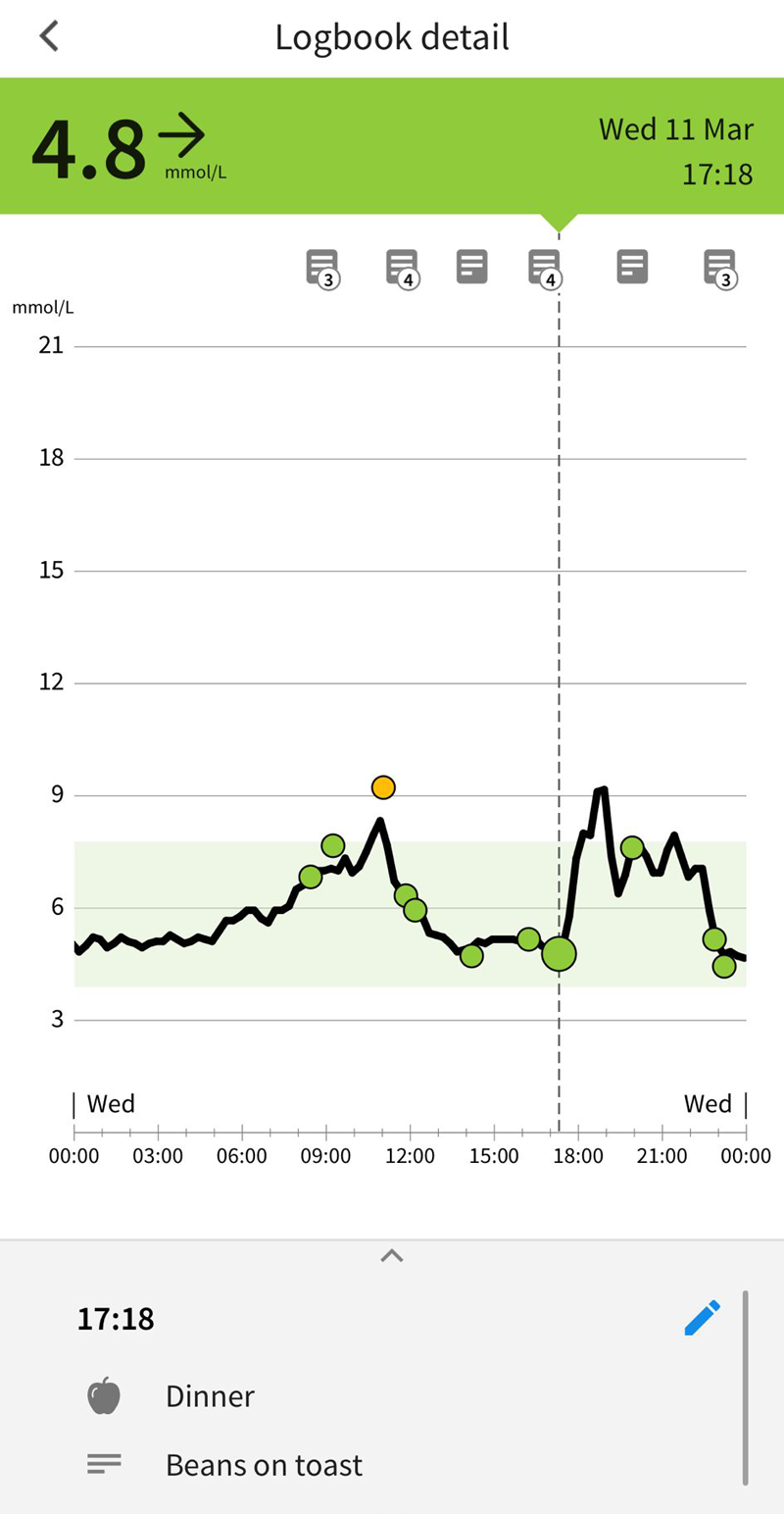
Logging meals and activities is nice and straightforward but it will record the glucose level at the time you add to the log but there is no way of seeing the value for the resulting peak. You're left to guess based on the resulting graph and the date picker lags when you want to go back more than one or two days. Both Dexcoms and the Anytime CT-3 are much better for this.
Yuwell Anytime for the CT-3
I am quietly impressed with the Yuwell app. It's very intuitive and easy to use so I'd say this is a good option if you don't want to obsess over data too much and are maybe worried about becoming compulsive with checking your phone every 5 minutes. I do find I check my phone less with this one.
I was very excited when I found that you can pinch and zoom on the graph and then tap on any point to find the glucose reading at that time so this is much easier to find your peaks than the LibreLink app. The Dexcom apps also let you do this but you have to tap and hold on the dots which isn't quite as intuitive.
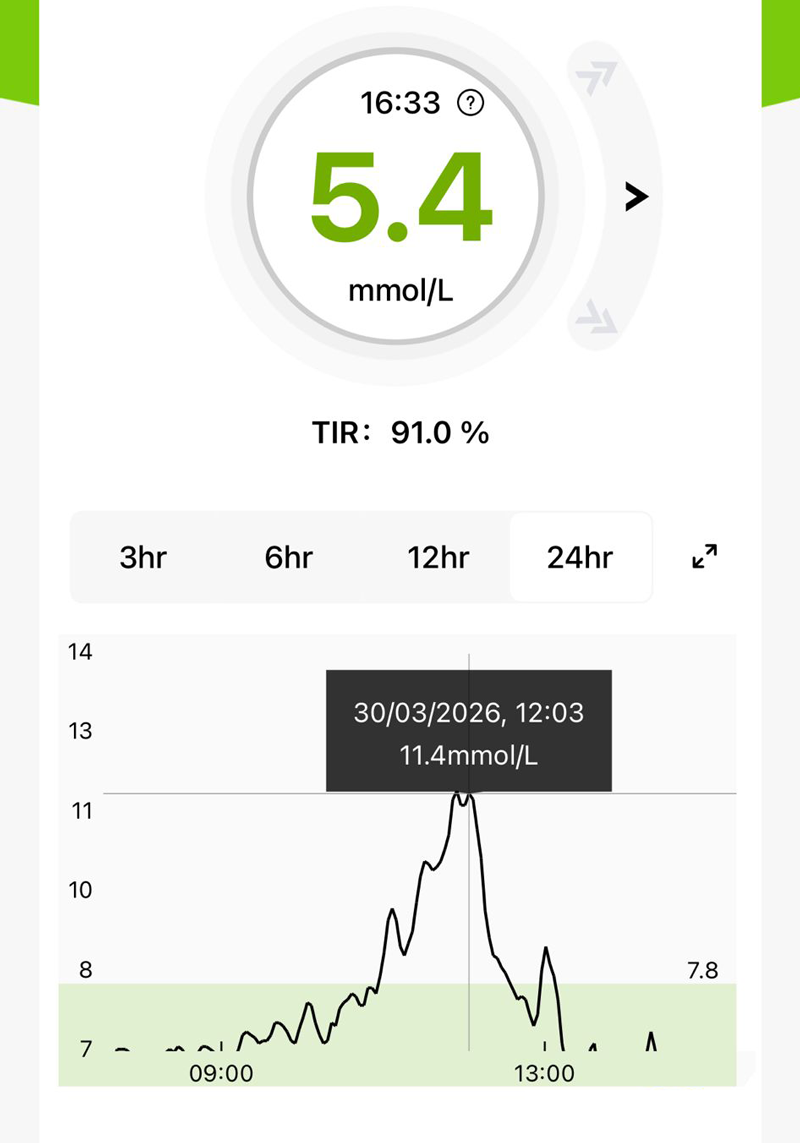
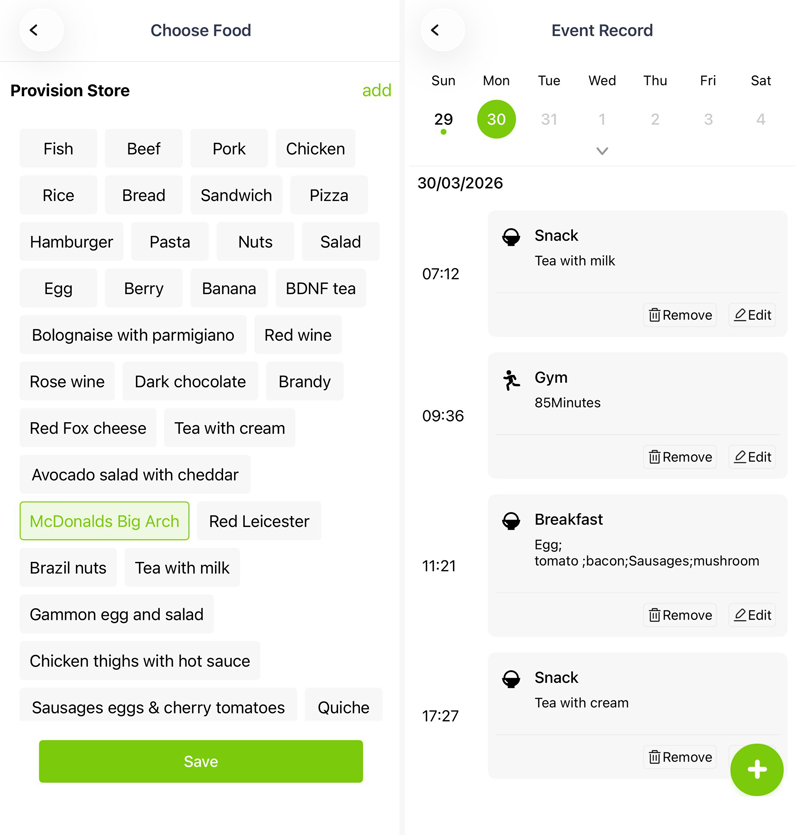
Logging food and activities is quick and easy with the Anytime app but a bit more basic in terms of looking back at the data. I really like the visual way of quickly tapping on a food or activity item from a list that you can update - this makes adding regular meals quick and easy as it saves a lot of typing. Be aware that you can't delete anything so stick to basic individual items like 'beef', 'potatoes' etc. rather than long menu-style labels. The resulting event record is just a list of times and items with no direct way of seeing the glucose values before and after. You have to make do with using the icons at the bottom of the graph on the home screen to find the data points. That can become difficult to figure out if you log a lot of entries. I've also noticed there's an issue with recording the exact time - it tends to be a few minutes behind but it doesn't stop you spotting patterns.
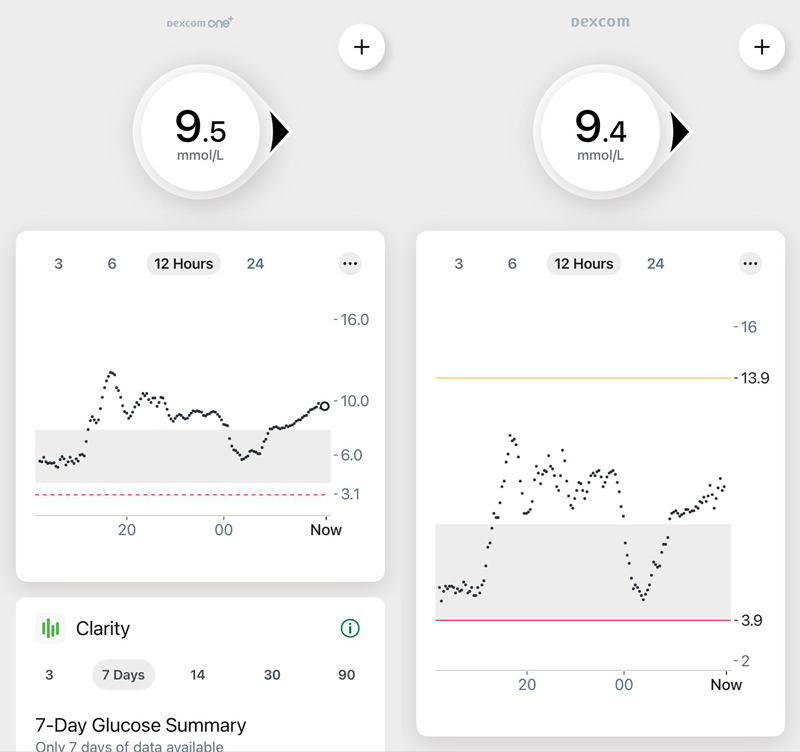
Dexcom ONE+ and G7
Both of the Dexcom apps are very similar. I slightly prefer the graph visuals on the Dexcom ONE+. I find having dots instead of a line graph a bit less appealing when looking for patterns but you can tap and hold on any of the dots to find the glucose value for that point in time.
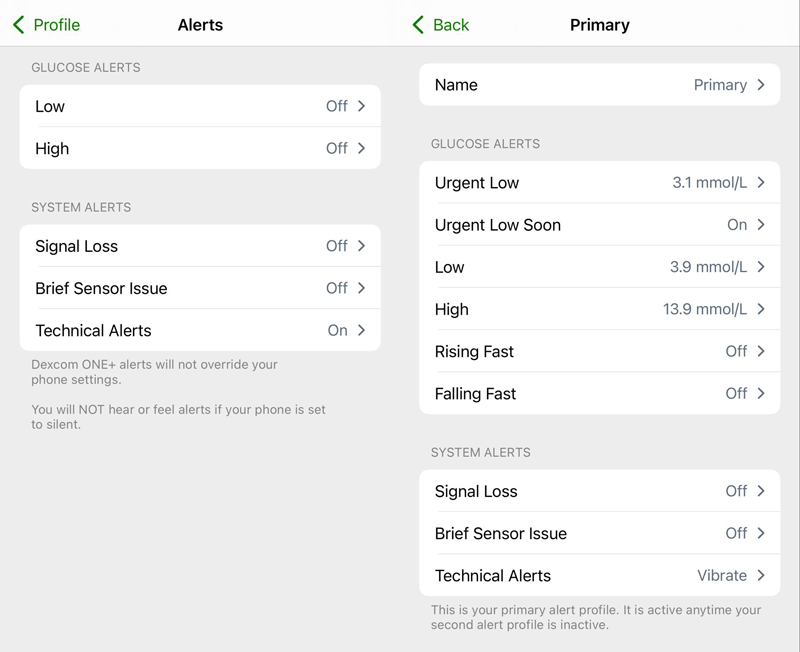
The G7 has extensive notification options which will be a big benefit if you're on medication or taking insulin and are at risk of hypoglycaemia. Having customisable profiles is very helpful if you want a quiet mode for in the office or during sleep.
Both the G7 and ONE+ have the ability to feed data into the Apple Health app on iPhone. If you're into wearable tech for health monitoring this can be a big advantage in having all of the health data you want to monitor in one place. The G7 also has the ability to feed data back to Apple Watch directly so that could be a great way to be able to discreetly check your levels without having to get your phone out to check, with the potential follow up conversations which can be irritating when you just want to feel normal when eating out.
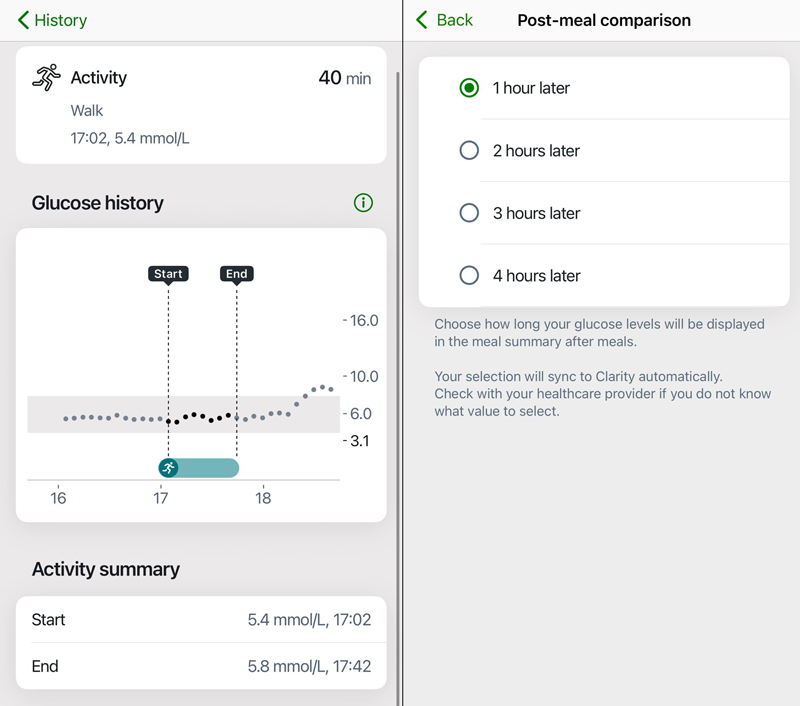
The stand-out feature on both Dexcom apps for me is the food and activity logging. They give you both a start and end point reading which is easy to set and review. When logging any activity you can enter how long you are planning to do the activity and it will automatically create a log for the end point. If your activity takes longer or shorter than planned, you can always update the time taken and the app will automatically update the end point reading. For food logging, it will automatically take a reading at a fixed time after you log the meal. You can choose a fixed interval from between one and four hours. I found one hour was good to get a rough idea of a spike level. You could set it to 3 or 4 hours if you want to be able to check that you're coming down to a baseline glucose level.
The Dexcom Clarity app and website gives you more in-depth reporting options similar to LibreView. The app doesn't give you much more than you can already see in the usual app directly and requires a PDF export which is easier to view on laptop/desktop anyway.
The RIZZ ring by Ambrosia Systems
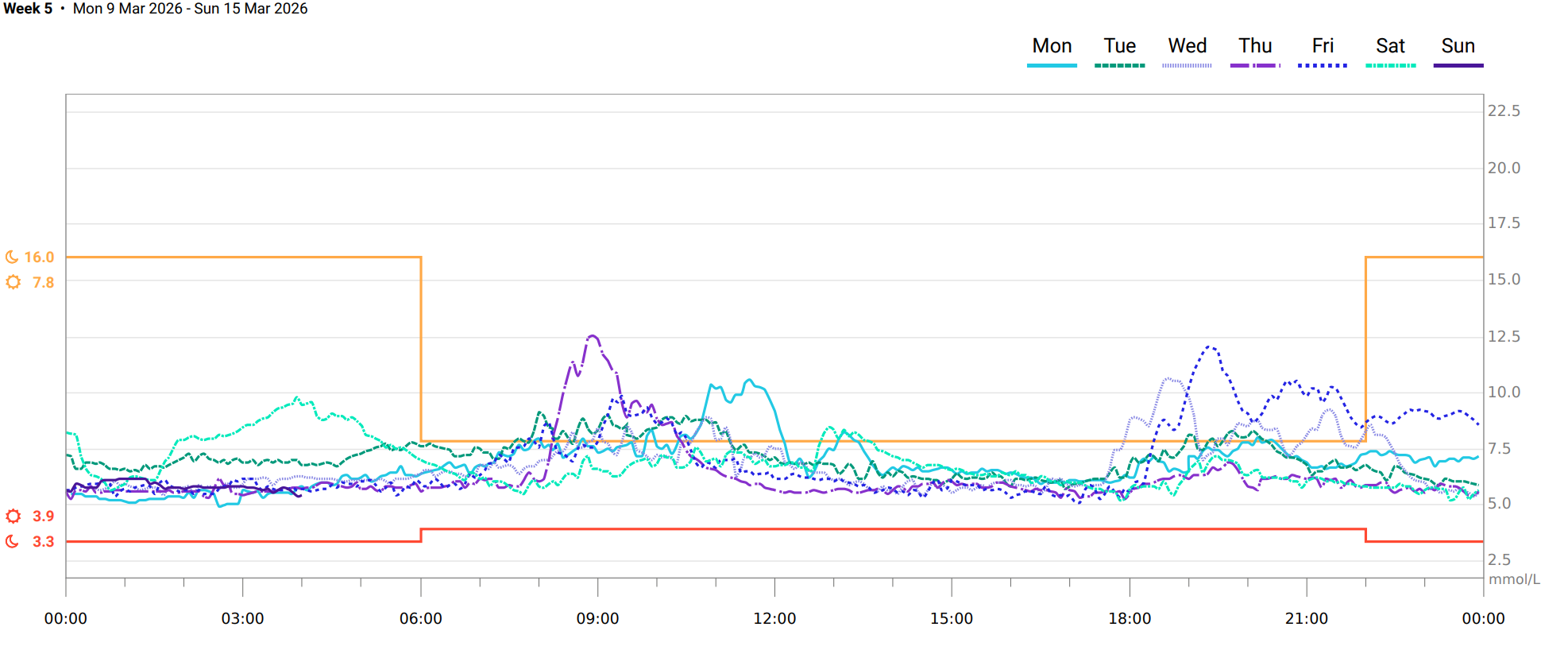
I was so hopeful that the RIZZ ring would at least be able to give me a bit of a prod if I'd eaten something that sent me over 8 mmol/L but I found that the more I tried to calibrate it and test it with high glucose load meals, the more it struggled to give accurate readings. The LinkBluCon app seems to have been built around the Libre interface that is the main focus of their subscription product and the RIZZ connectivity has been shoehorned in. I contacted their support for help with the subscription product set up but I haven't had a response. The high RGB colours on black background make it difficult to read the y-axis glucose levels. You can tap and hold on the graph to see exact values but it will only do this for the blue RIZZ values. I'm still not sure what the difference is between the RIZZ values and the calibrated values. Both seemed to be way off and I feel the calibration just adds a +/- fixed number. Ambrosia have recently updated their app and it does look much better than the original one.
So which is the best CGM?
Stepping out of my Libre 2 comfort zone has been an interesting experience. The best CGM is going to depend on your circumstances. The Yuwell Anytime CT-3 is by far the most approachable for anyone who wants a simple and easy to use app which is less intimidating than the others. It's a good option if you want to know your numbers without too much fuss. Its accuracy is on a par with the Dexcom G7 (from my brief testing) so these two seemed to have the best performance in terms of accuracy. If you have weakness or arthritis in your hands you may struggle with applying the CT-3 sensor as it is the only one with two buttons to press. It might be worth having someone ready to help you for the first time you apply it. I do think it's also the least likely to fall off as it's a bit larger than the other sensors and the adhesive seems pretty strong. I feel that this one will be the least likely to fall off if you are a regular swimmer.
The logging features of the Dexcom sensors make them ideal for keeping track of which meals and activities are spiking your glucose levels. The ONE+ seems to read a bit high but it is the most cost-effective CGM overall so unless you need the extra features and accuracy of the G7 then it will still do the job of showing the patterns you need for making type 2 decisions. I can see why people with type 1 diabetes prefer the G7 as it is not as erratic as the ONE+ and Libre 2 (which tends to read low but then gives overly high readings when glucose levels are rising). The main strength of the Libre 2 is being able to quickly see longer term patterns and its extensive data reporting so if you're a big data nerd like me then it's a good option for keeping type 2 diabetes in check.
The RIZZ ring just isn't there yet in terms of being able to make diabetes-related decisions and spotting patterns. It does seem to show an uptick when my levels rise but it seems to run into trouble with high and low readings and often gets ups and downs the wrong way round. The other health data seems good from it so I'm continuing to use it for tracking heart rate variability (HRV) and other metrics. The skin temperature readings pointed out that I was getting hotter than I expected overnight so that's an interesting data point that's helped me make some changes to my sleep routine.
Honourable mentions
Syai Ultra by Glucose Evolution
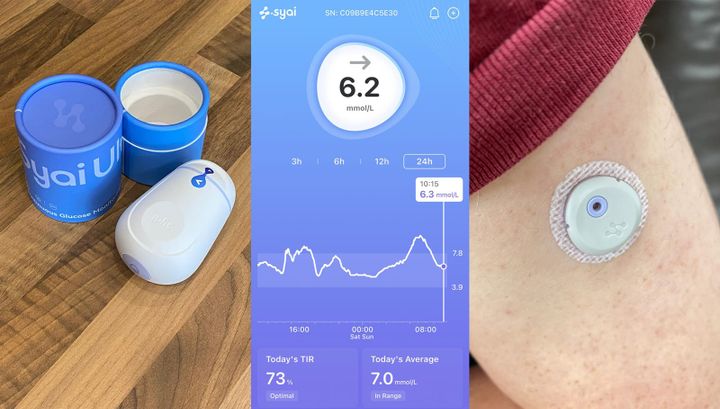
Since my initial review of the above CGMs, I've changed over to using the Syai Ultra because it adds much more data points that I like to keep track of as well as providing fortnightly report that allows me to easily see a glucose graph for each day that shows when my highest peaks and troughs which helps me spot the best and worst meal options. It's also so much smaller than the others, I genuinely forget that it's there which leads to less obsessive checking.
Abbott FreeStyle Libre 3
This is pretty much the same as the Libre 2 but is much smaller and slightly more accurate with a MARD of 8.2%. It's also more expensive so it's worth considering if you have any anxiety about the visibility of your sensor as you will be able to place it in more discreet areas. It could also be helpful if you have any minor skin reactions to the CGM adhesive as it will affect a smaller area. I can't figure out how to buy them directly from Abbott's website (they do like to make it difficult to give them money) but you can buy them on Amazon for around £80.
Abbott Lingo
This is a really innovative product and I loved the idea of the Lingo points being calculated based on the area under the curve. This means it's aiming to measure your overall blood glucose load over time rather than just the height of a spike. I tried Lingo for a couple of weeks but I found it frustrating because it didn't seem to follow any logic in counting up Lingo points for what were considerably high glucose spikes. It is aimed at the wellness market rather than being intended for diabetes management and they are very clear in their marketing about this. It could be a fun way to track glucose levels if you're not dealing with diabetes and are just interested in monitoring your reactions to exercise and foods but I just didn't feel I could trust the readings from it.
SiBio KS3
The KS3 is a continuous ketone monitor (CKM). I haven't tried one of these yet but I am interested in monitoring ketone levels as part of my near-ketogenic diet. Being in nutritional ketosis means that you're metabolising fat efficiently and using ketones as a primary fuel instead of glucose. Diabetic ketoacidosis is a dangerous medical condition which can affect people with poorly controlled diabetes so it's reassuring to know that your ketone levels aren't going too high.
Blood Glucose Meters
The most cost-effective and accurate way to check your blood glucose levels is with a blood glucose meter. Also known as a finger prick test - you need to load one of the lancets into the applicator pen and remove the small round cap from the lancet to expose a small needle. The applicator pen usually has a depth setting from 0 to 5 with 0.5 increments so start at 0 and work your way up to the point where you'll get a decent enough size finger prick to be able to slowly squeeze out a few drops of blood. Yes it stings, and that's part of the reason I used to 'forget' to do it regularly. A log book or notepad is handy but for long-term use it's best to get an app to log your glucose levels over time so you can see graphs etc. MyNetDiary has an option to log blood glucose with different labels but they all seem to go on the same graph so you can't separate a 7-day average from fasting, before/after meals etc. and it groups all the readings into a single day so there might be a better app for logging several readings per day. More expensive glucose meters may come with Bluetooth to be able to log your readings to an app.
Exactive EQ Impulse
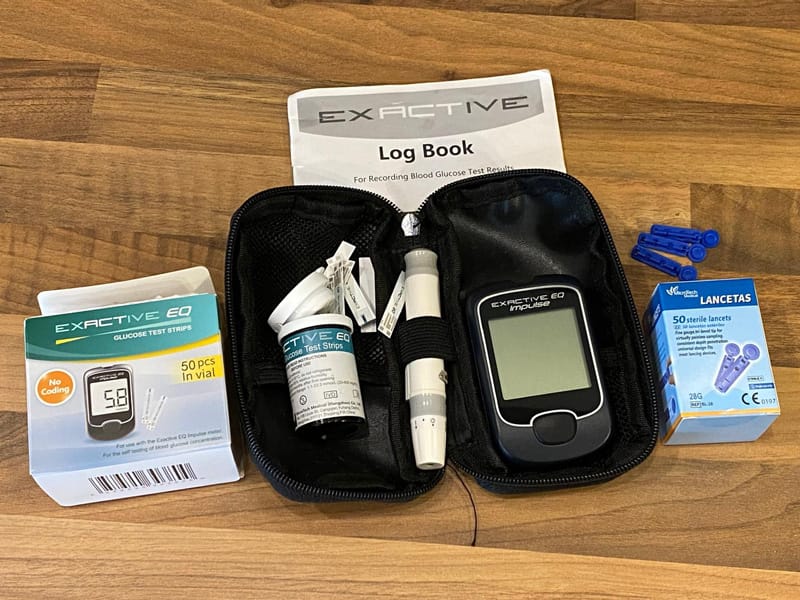
Currently available on Amazon for just £12.59, I've had an Exactive EQ for five years and it's never let me down. I think I replaced the battery in it twice. It comes with 25 strips and 25 lancets and additional packs of 100 of each are currently available at £21.99. If you did three tests per day that would work out at about 65p per day and £236.57 per year in replacement strips and lancets so you can see how much cheaper this option is than a CGM.
KETO-MOJO GKI
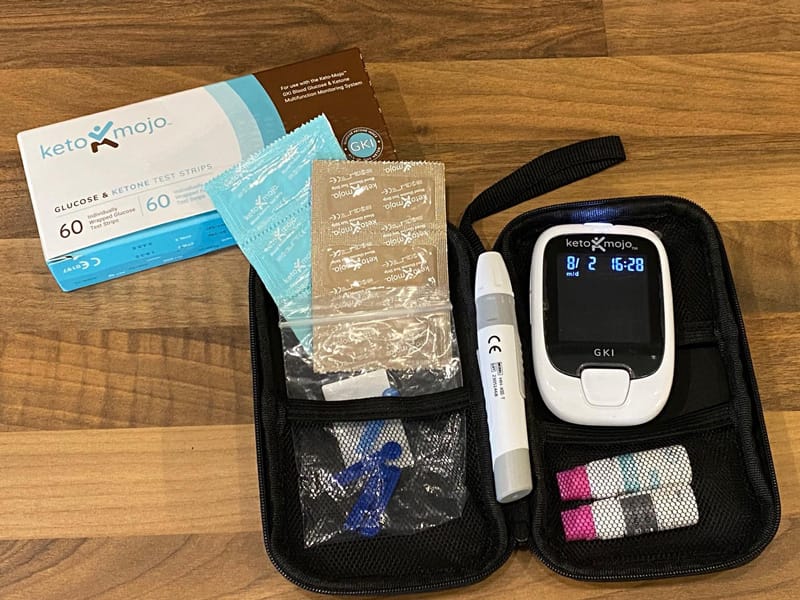
I bought a Keto-Mojo last summer because I wanted to check where I was up to with my ketogenic diet and whether I was in nutritional ketosis. I was a bit worried when one of my Ketostix was dark purple so wanted to make sure I wasn't straying into ketoacidosis. Ketostix are urine test strips that test for ketones. They are a cheap and easy way to see if you're in ketosis but they don't show you exact levels.
The Keto-Mojo test strips are £60 on Amazon but they are a bit more reasonable if you buy them through the app at £53.48 for a pack of 60 ketone strips and £19.88 for a pack of 60 glucose strips. If you did three readings of just glucose per day that would work out at £1 per day. Luckily you can use the cheaper lancets with the applicator pen as it seems to be a standard size.
The Keto-Mojo can use Bluetooth to log both glucose and ketone readings to the MyMojoHealth app and you can filter the graphs to show the last 24 hours, several days, several weeks or the last 12 months so it has good visibility for you to be able to look back at patterns. It also has an option to export readings.